
Exploring the Flow HTTP Callout Action - Part 1
Part 1: Building a no-code joke-fetching app

Back in summer 2023, Salesforce sought to capitalize on the ‘low code’ movement by releasing an out-of-the-box Flow action to handle HTTP request/response interactions between a Flow and an external system.
Over the next few blog posts, we’ll explore the capabilities of this framework, find limitations and identify positive use cases.
The question we want to answer is can this flow action empower a non-engineer to use a pre-existing API frameworks to build some meaningful features and apps with a purely low-code solution?
In this multi-part series, we’ll start simple and expand into more complex scenarios to see how one would approach using the Flow HTTP Callout action and other OOTB flow actions to make some neat no-code functionality happen.
Outlining the basics
Before we even get into flow design, we have to set up four configurations in our org to use the action:
External Credential: Basically the Authorization tab in Postman, this is where you define basic auth parameters such as what auth type the API uses and populate common auth data elements. You also have the ability to specify custom headers here to handle more complex authorizations.
Principals: Near as I can tell, the only purpose these records server is being able to assign the ability to make the callout using the External Credentials to a permission set. External Credentials follow the principals of least privilege (a good thing) and are thus not useable unless permission is explicitly granted via a Permission Set. In the Salesforce model, you grant the permission based on Principal Records, which then grant access to External Credentials and the associated Named Credentials, which allow you to execute them in the flow.
Named Credential: The base definition for the callout. Here you specify things like the base URL (where your endpoints will be derived from), additional custom headers and control if auth headers are generated on each request.
Permission Set: Remember that principals of least privilege from above? You’ve gotta grant access to the External Credential to users via Permission Sets to make a callout.
There are quite a few good resources online - such as these three from Salesforce - on setting up the basics for a callout, so please check out those resources to learn all about how to actually create these records.
Basecamp 1: Dad Joke Generator
I’ve got an eight-year-old daughter who (at the time of this writing) adores me and my terrible jokes. So for our first “app” in this series, let’s start super basic and create a dad joke generating app using a public API.
The requirements here are pretty basic:
A self-contained “app” that can be placed on any lighting page in Salesforce
The app should have a intro message and present the user with a button to click
Upon click, the app should make a callout to a public API and fetch a dad joke
The app’s should parse the response, and the interface should update with the retrieved dad joke
The app should present the user with the ability to fetch another dad joke at the click of a button (in case the unthinkable happens and the first joke doesn’t land)
Oh, and the big requirement:
we want to do all this without writing a single character of code.
Can it be done?
Spoiler: Yes. Yes it can, and with a lot less effort than you might think. Read on to learn more!
Let’s get building: the objects
For this example, our API is going to be provided by the definitely-doesn’t-date-itself icanhazdadjoke.com website (to any young folks who don’t get the reference; also, kindly remove yourself from my lawn). The API in question is simple, well documented, and requires no authentication and has minimal options. Perfect for our “can it do the basic of the basics” scenario.
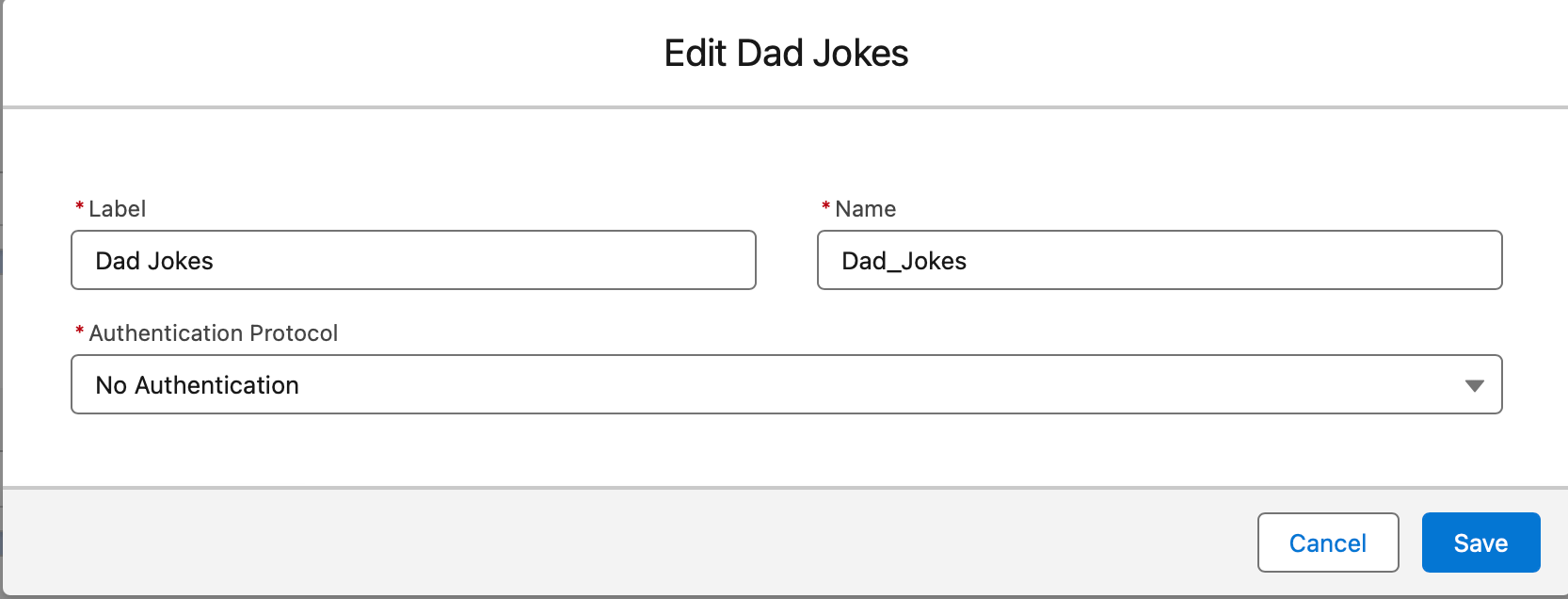
On to the setup in Salesforce. We create a new External Credential store with a single Principal entry so we can assign it to a permission set. Because our API has no authentication we select No Authentication as our protocol.
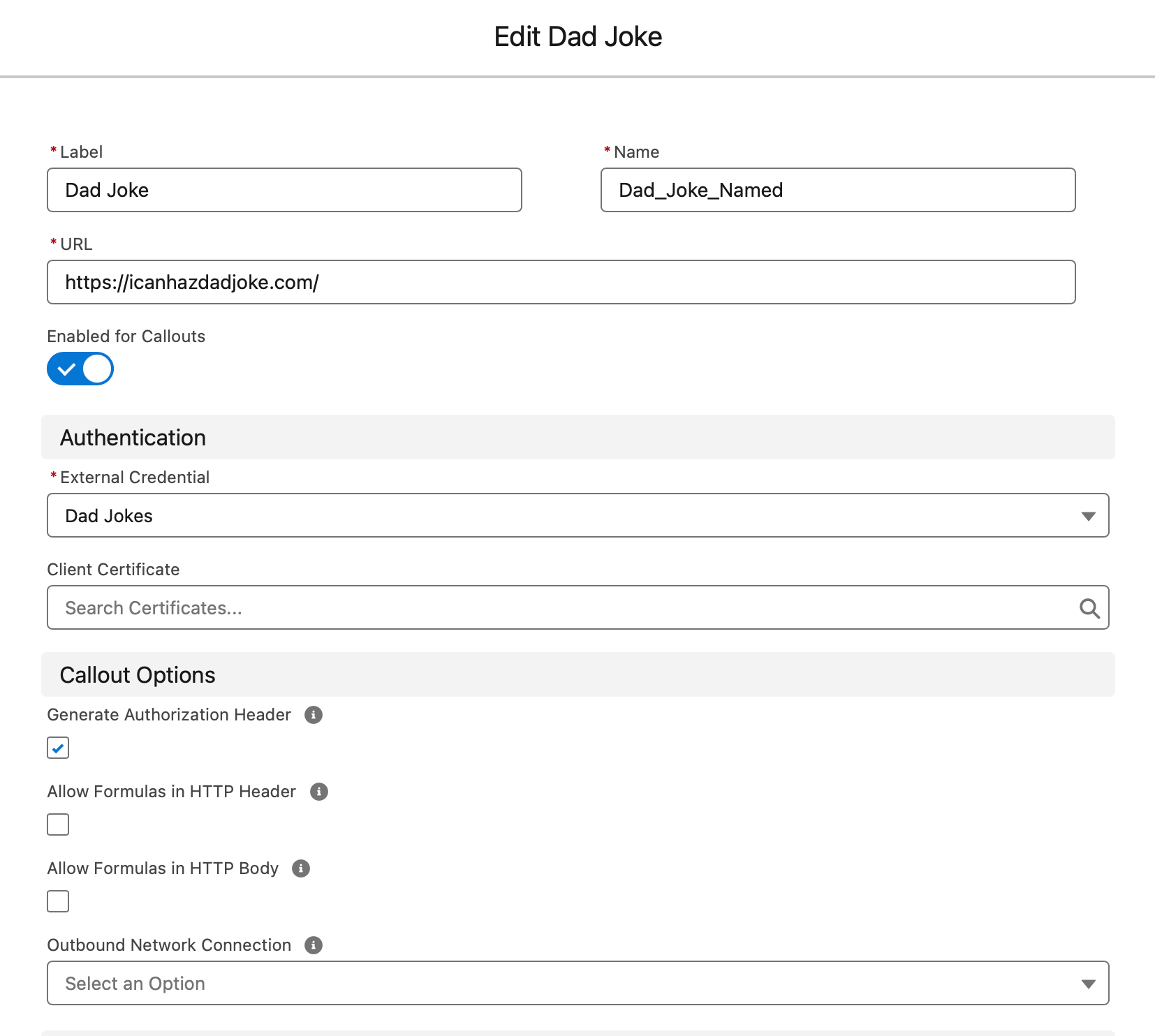
Our Named Credential isn’t that much more complex; we set our base URL, enable callouts and toggle generation of auth headers (such as they are).
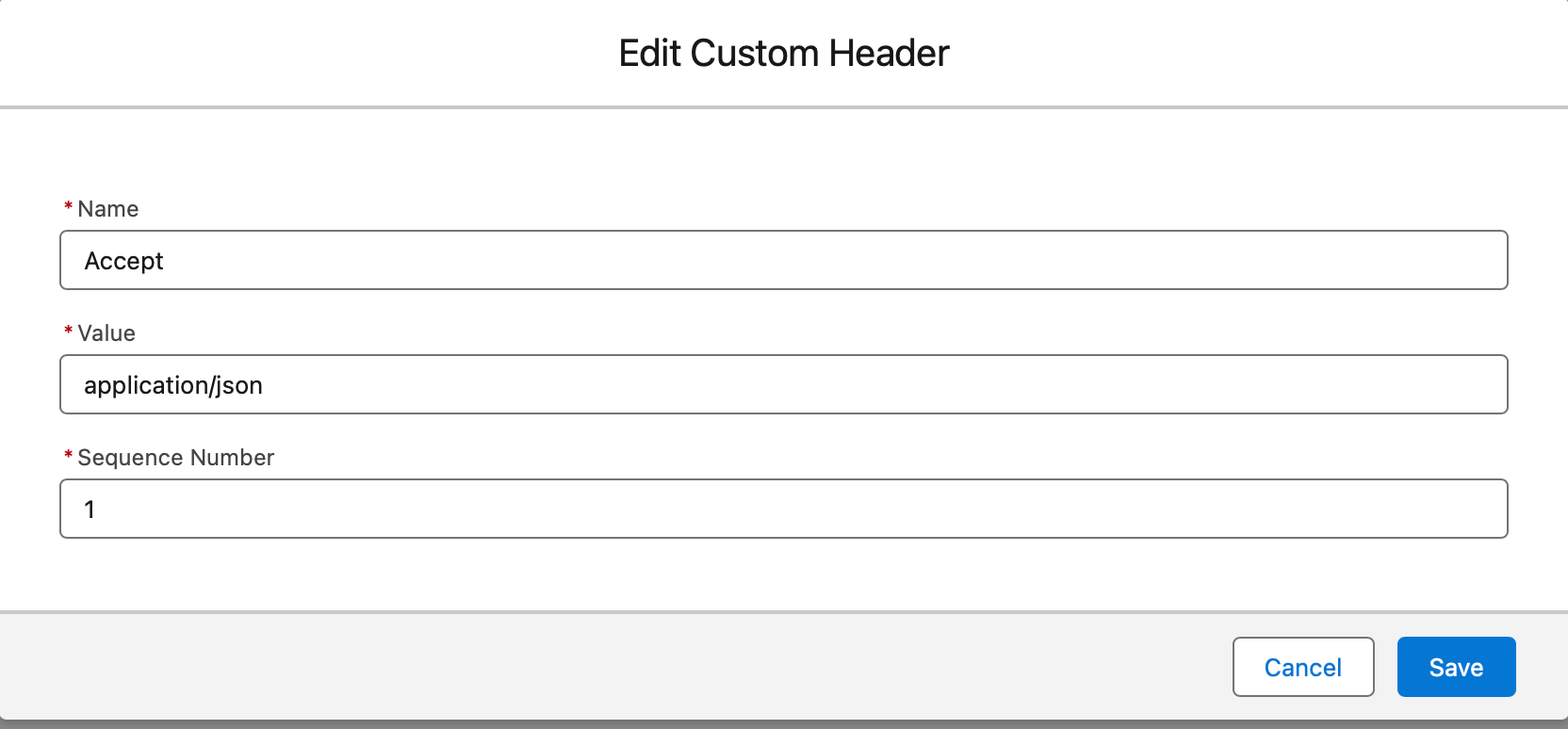
The only additional thing we add is a custom header; in order to get this API to work, we need to pass an Accept key telling the API to return the data in JSON format (otherwise we get the full website in HTML). This also shows us that we can add all sorts of headers to our callouts - something that will be useful to remember for future applications.
Finally we create a new permission set and assigne the Principal for the External Credential we created to our running user.
Overall, quite a few steps and many clicks for something that can be defined in a few lines of code in the “classic code” way, but so far so good - we’ve set up our basic connection string details without breaking out the Apex. While taking a few extra step, the security-conscious approach of the framework and the separation of concerns is a nice thing to have.
Building the flow
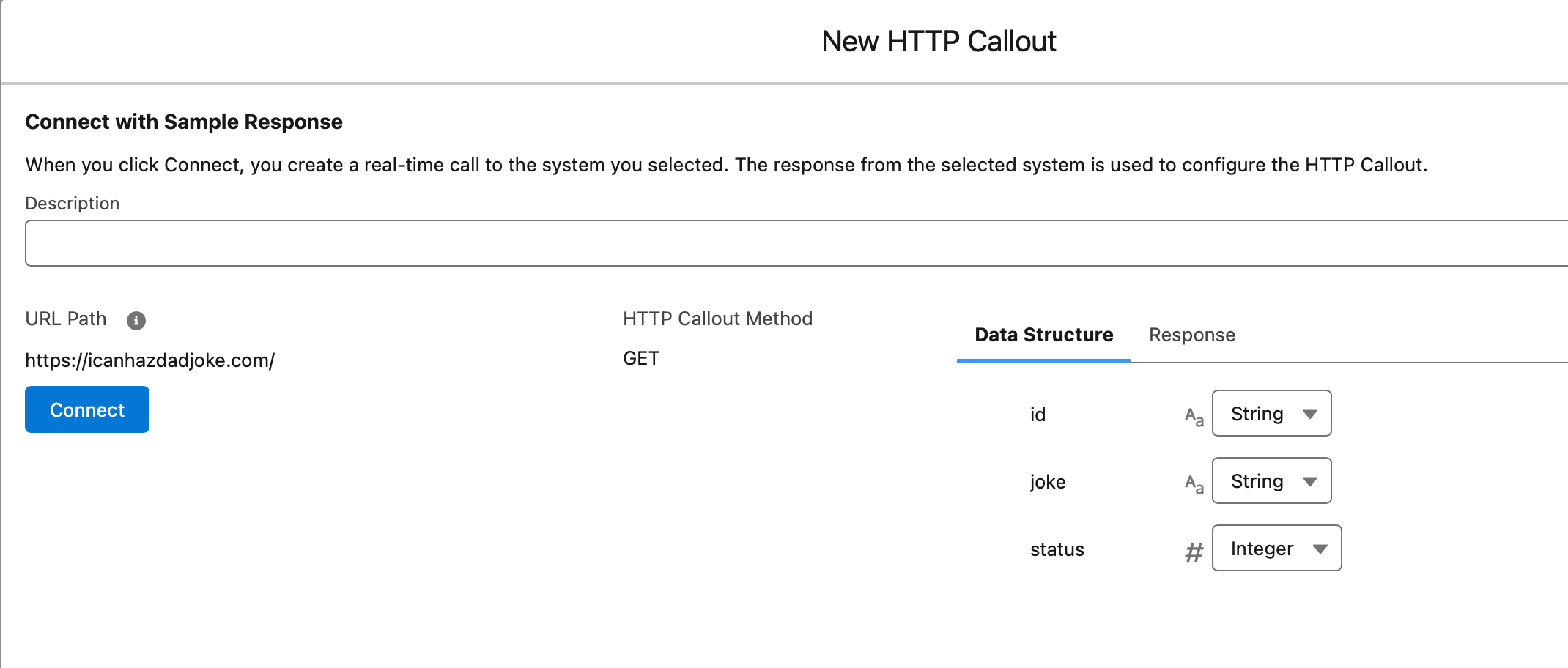
Likewise, our flow is pretty basic. When creating our action, we first specified the Named Credential associated with the callout and then had the chance to set an endpoint (in our case, there was none so we use the base URL) and we could add any additional query parameters. Again, not required for our basic case.
One really cool thing here is the response schema generator. In the final step of the process, we are able to either feed an example of a response schema, or actually fetch a live response back and use that for what we expect the flow to retrieve.
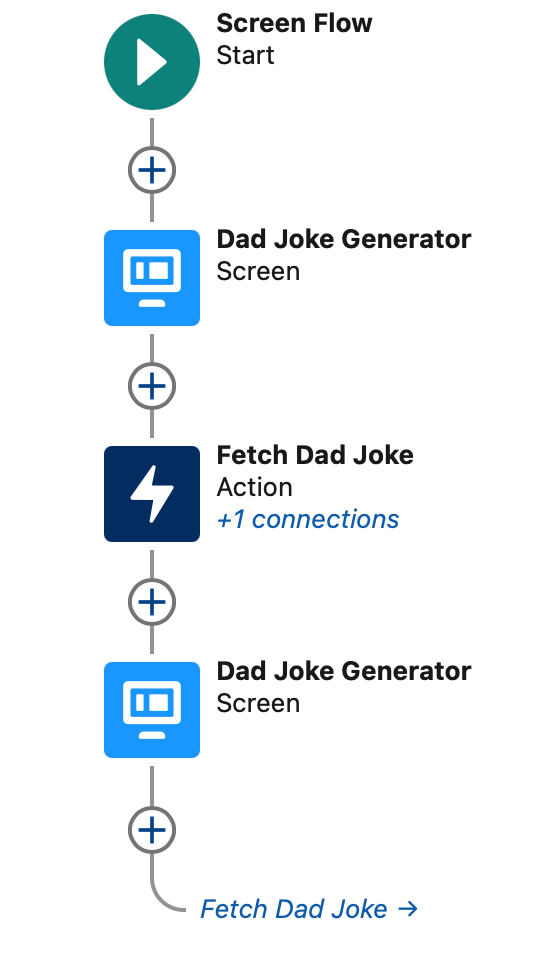
The final flow is about as basic as you can get, but hey - baby steps. We’ve got a Screen that displays an into message, our action to make the callout to our defined API Endpoint, and a screen flow to show the results, with the ability to re-trigger the action to fetch a new joke. The trigger for the callout is the progression of the flow via the user clicking the “next” button on the screens.
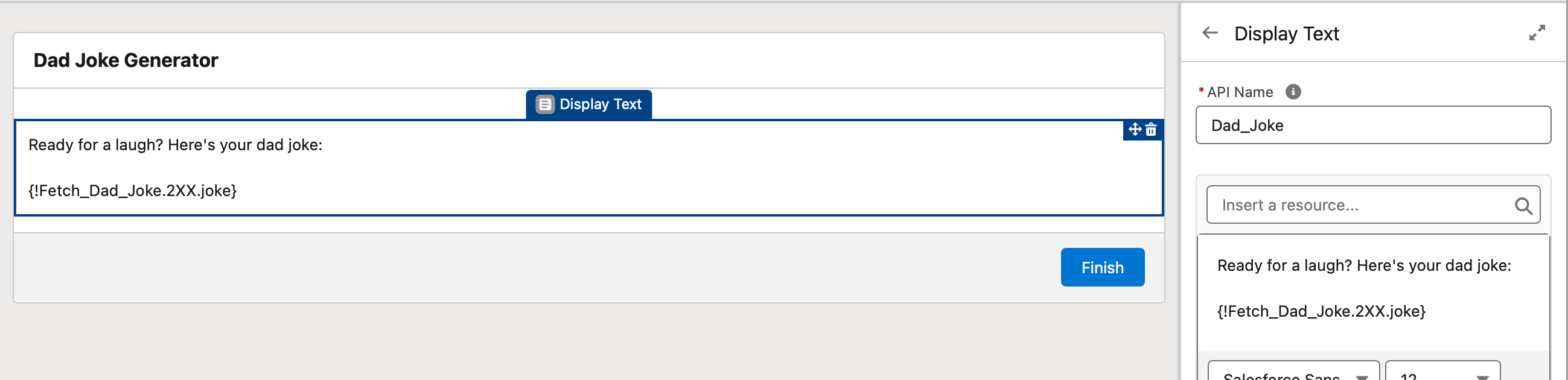
The API response is pulled into a rich text in our second screen, and it works just like any other flow variable fetched, using dot-notation to drill down from the response of the action element to whatever parameter you want to fetch. This is pretty promising for being able to transform data in more complex examples in the future.
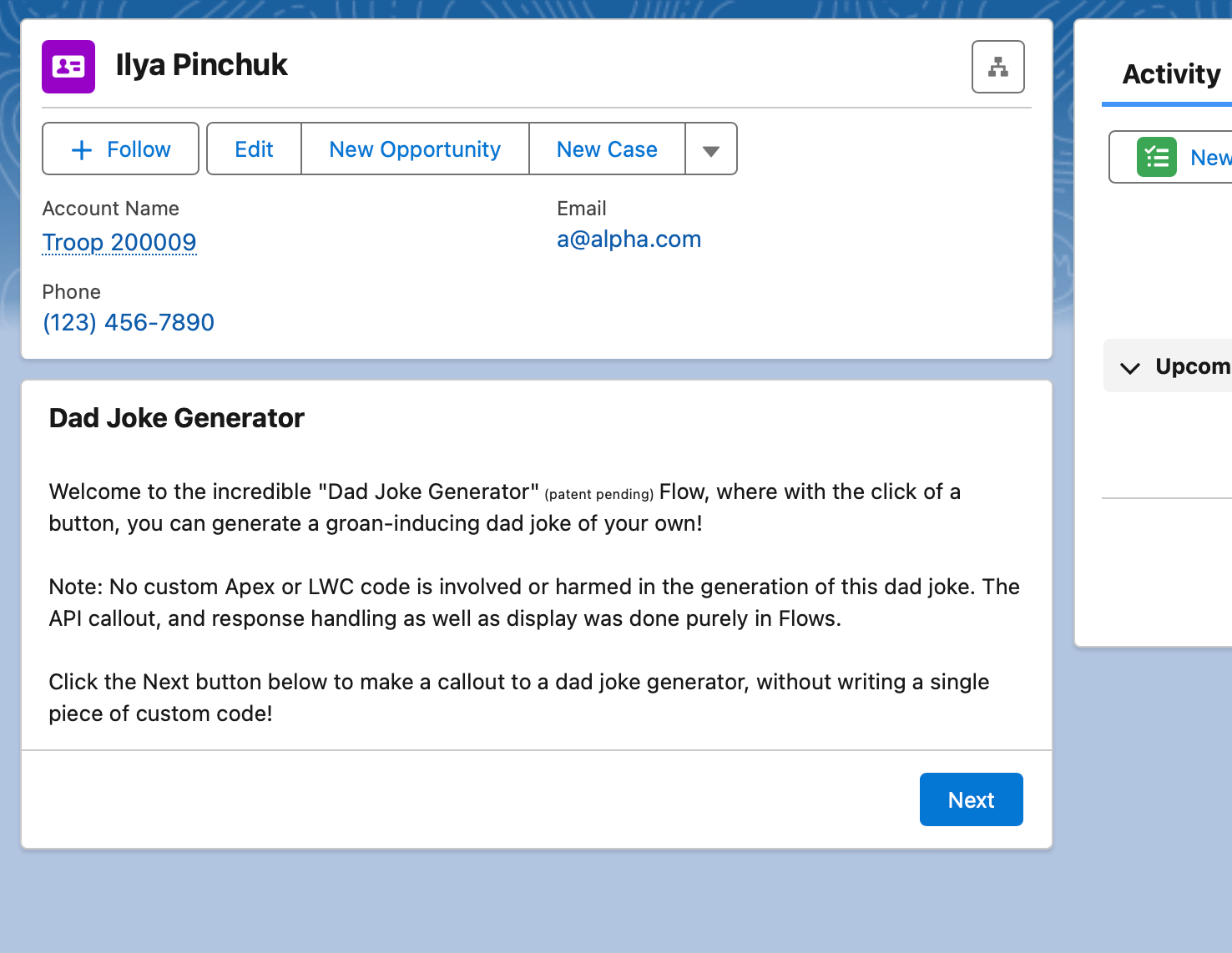
Activating the screen flow allows us to place it on a page and the results are pretty slick. As you can see in the 1-2 punch of screenshots below, our Screen flow slots into a page, waiting for a user to click the next button.
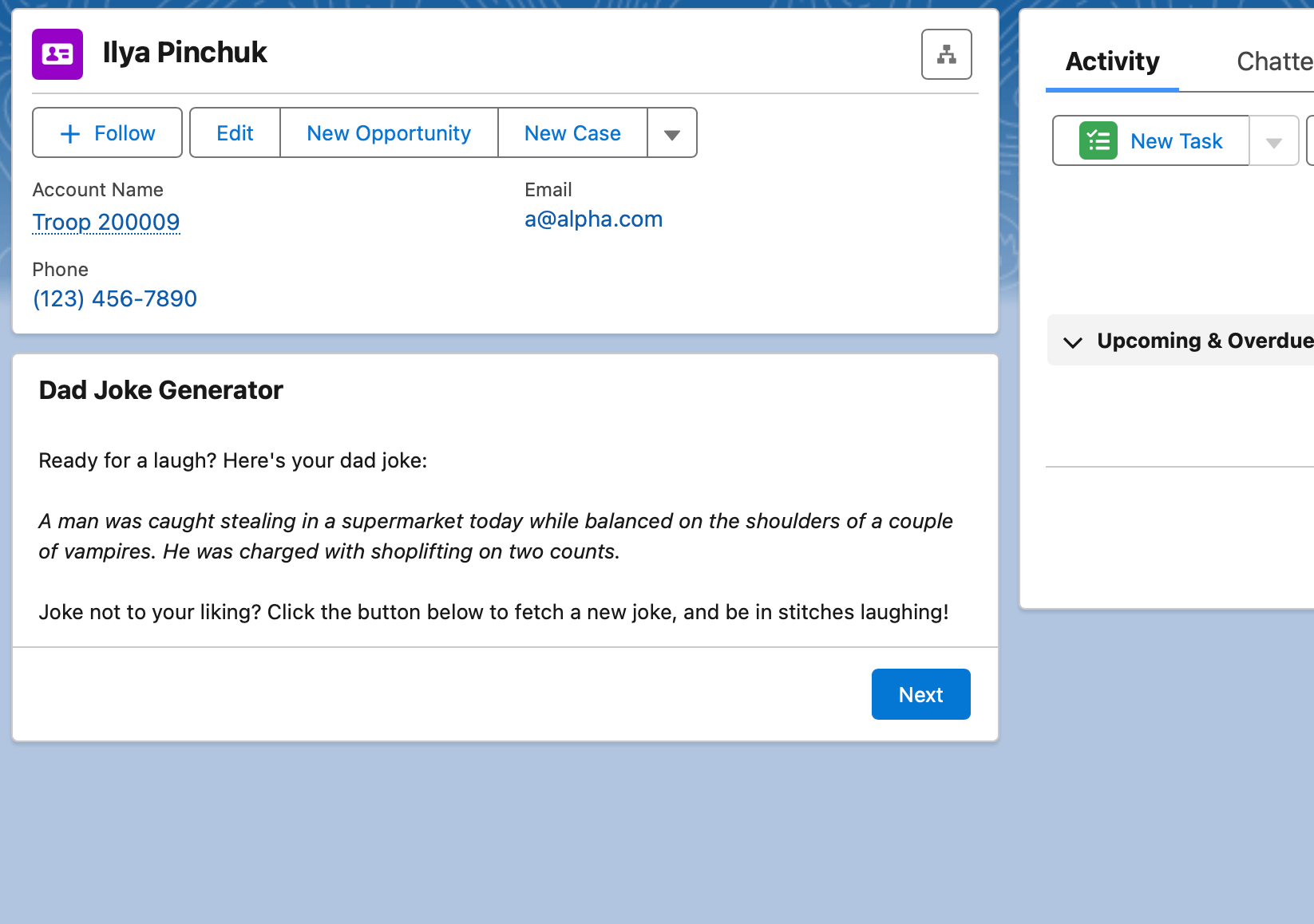
On button click, the flow executes the action, uses our External Credentials to make the callout, parses the response back into the screen flow and the joke is displayed dynamically. Clicking Next button on this screen loops up back to the Action, making the callout again and fetching a new joke.
Verdict
Ok, look, this isn’t exactly rocket science here. We have a dynamic screen flow that is making a callout to non-authenticating, simple JSON-response API. Not the height of engineering marvels and something most engineering can code up in their sleep.
But here’s the rub - there was no code involved in any of this solution. No Apex wrapper class for the callout; no LWC Javascript HttpRequest and HttpResponse shenanigans.
We were able to create an admittedly-silly but fully functional mini-app that fetched data from an external source, and we were able to manipulate the response data to suite our needs. That’s genuinely impressive.
Moreover, we can see the potential starting to form here of more complex scenarios that can be tackled by this approach. To answer our original question posed at top of the article, in these relatively simple API cases, yes, this flow tool - combined with other flow tools - can empower a non-engineer to use a pre-existing API frameworks to build some meaningful features.
That’s it for part 1 of this specific series. In part 2, we will expand start adding complexity to see if we can find the upper-bound limit of this functionality. Will the Flow + HTTP Callout Action remain robust enough to tackle more complex cases? Find out next time!